
Deep Dive on Devin: The AI Software Engineer

AI, like much of tech, evolves at an exponential pace. Just a few years ago, we saw an explosion of LLM-powered tools that streamlined development tasks.
Innovations like ChatGPT, GitHub Copilot, Cursor, and Tabnine serve as both code auto-completion tools and AI pair programming assistants.
These innovations seemed to mark a turning point. It’s clear now that AI tools and technology are here to stay, and they’ll continue to transform the software development landscape. Now, though, we’re laso seeing a rise in AI technology that goes beyond coding assistance: AI agents.
Table Of Contents
- Why Write An In-Depth Article About Devin?
- Chosen Project: Refactoring a jQuery Plugin From 2017 with Devin
- Introduction to Devin AI, The AI Programmer
- Step-by-Step Guide to Modernizing my Plugin with Devin AI
- Reviewing Devin's Final Code and Creating a Pull Request
- Final Thoughts: Can Devin AI Become an End-to-End Replacement for Software Developers?
AI agents are able to automate and perform more complex tasks, ones that would otherwise require real people to carry out. My goal here is to put one of these AI agents to work on a real-world task and see just how much time I can save by having an AI “buddy” to help out.
Why Write An In-Depth Article About Devin?
If you’re unfamiliar with this concept, I wrote a piece introducing 3 popular AI Agents and shared my experience with them. Writing that article only served to heighten my curiosity about AI agents, and specifically Devin AI.
Even before writing my first article on the subject, I had read or watched plenty of blogs, videos, and discussions online about AI agents, their capabilities, and limitations. I find learning about this topic fascinating. But so often, articles focus on abstract theory or use cases that aren’t necessarily practical in the real world, and that bothers me, frankly.
So I decided to dive deeper into Devin AI, in the hope to address some of the personal questions I still had about AI Agents.
For instance:
- How do AI agents approach solving real-world problems?
- How well do they perform when their capabilities are tested in realistic situations?
Chosen Project: Refactoring a jQuery Plugin From 2017 with Devin
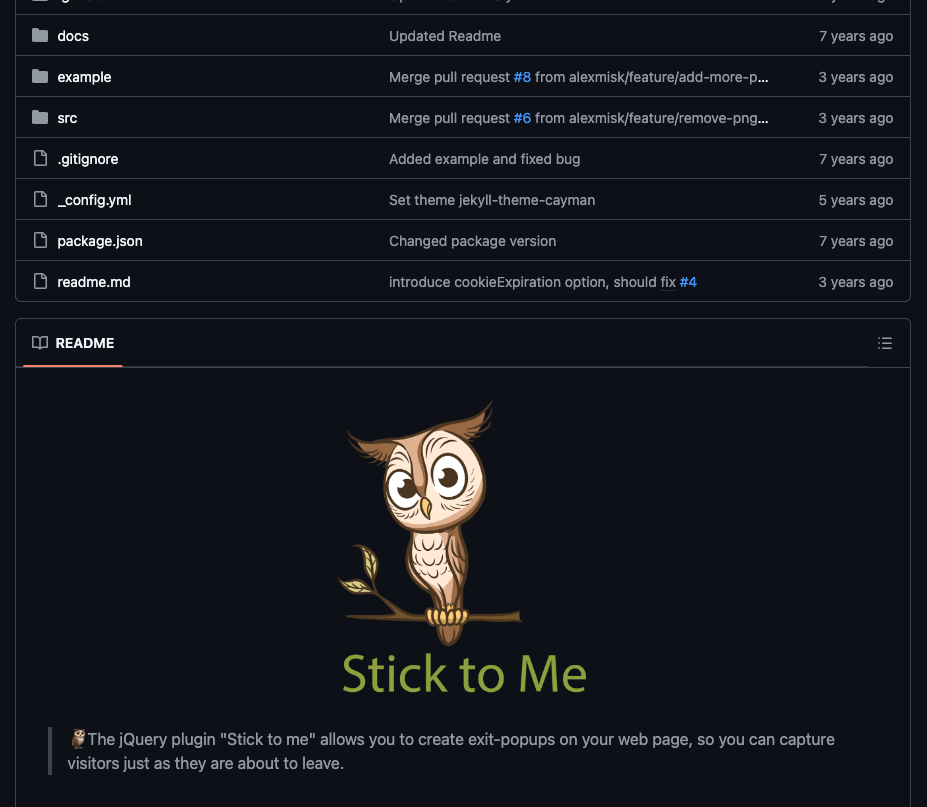
All of this gave me an idea to refactor a jQuery plugin I built 7 years ago. This plugin detects when a user is about to leave a webpage and displays a popup to re-engage them before they exit.
Truthfully, I’m not exactly proud of the code I wrote 7 years ago…but the plugin served its purpose at the time, and even helped a few other people who needed the plugin for their their own projects.
In any case, it felt like it could serve as a good test case for an AI agent. My goal is to update the project by:
- Removing the jQuery dependency
- Refactoring the code
- Adding some new functionality (though at the beginning, I hadn’t decided what this would be)
If all goes well, I’ll have modernized an open-source plugin without spending too much time on it. As I write this, I have no idea what the outcome will be. I wanted to document everything beforehand so my opinion and this introduction wouldn’t be biased. Now, let’s dive in and start using Devin.
Introduction to Devin AI, The AI Programmer
The team behind Devin refers to the tool as “the world’s first AI software engineer.” Devin is intended to be a collaborative AI teammate for software developers.
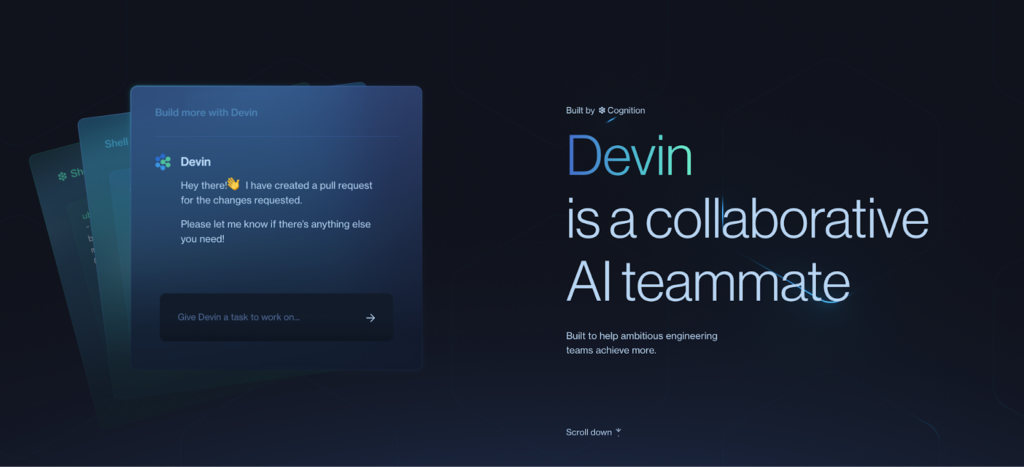
I was able to test Devin for free, but on December 10th, 2024, Devin became generally available. This unfortunately means that the AI Agent can no longer be accessed for free.
Plans start at US$500/month (which is a bummer, if you’re interested in using it as a solo developer). On the plus side, Devin now integrates directly with GitHub, meaning it can create and review PRs, as well as Slack, where your team can work with it directly. And it gives your whole team access.
For now, Devin is accessible via a web application. When you open Devin, you’ll see an interface similar to ChatGPT but more specialized. It features things like:
- A dedicated terminal for your project
- A browser for viewing web applications (if that’s your focus)
- A fully functional code editor (similar to a web-based version of VSCode) for building your app alongside Devin.
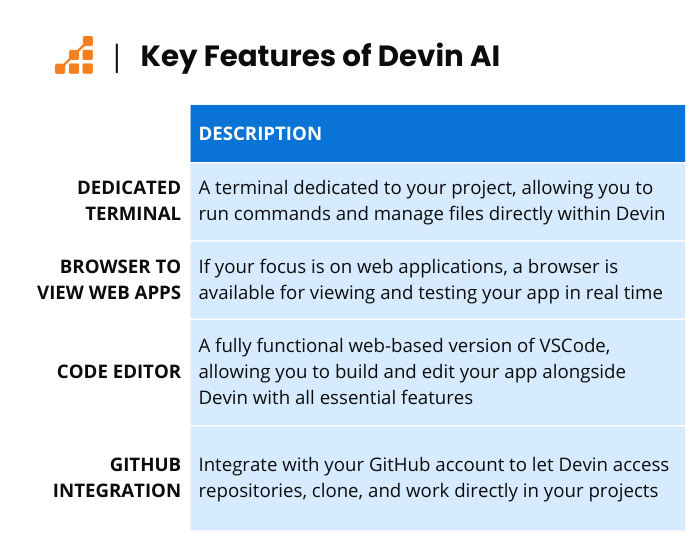
The coolest part? You can integrate Devin with your GitHub account, giving it access to your repositories so it can clone and work directly in them. That’s the path I’ll be taking for this project.
Step-by-Step Guide to Modernizing my Plugin with Devin AI
Step 1. Passing Instructions to the AI Agent
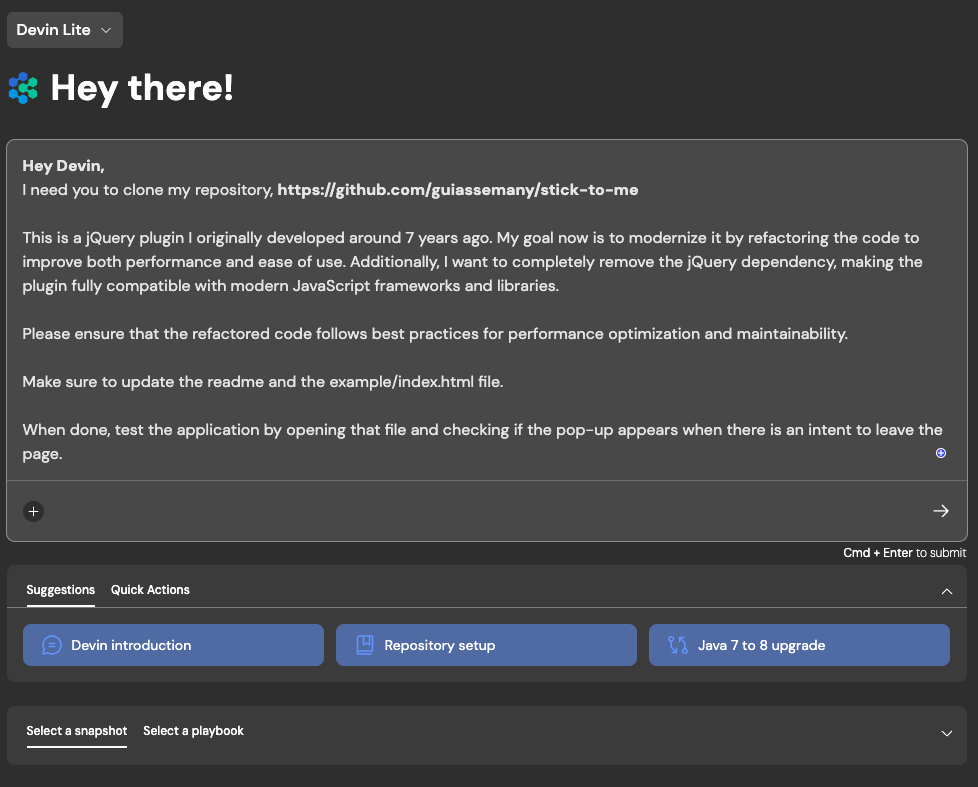
Like any AI interaction, we need to start by passing instructions about what we want to achieve. I wanted to use the tool as naturally as possible, without special tricks, just as a regular user would in their daily life. So, without thinking too hard about how I structured the prompt, I got started.
Here’s the prompt I used:
Hey Devin,
I need you to clone my repository: https://github.com/guiassemany/stick-to-me
This is a jQuery plugin I originally developed around 7 years ago. My goal now is to modernize it by refactoring the code to improve both performance and ease of use. Additionally, I want to completely remove the jQuery dependency, making the plugin fully compatible with modern JavaScript frameworks and libraries.
Please ensure that the refactored code follows best practices for performance optimization and maintainability.
Make sure to update the README and the example/index.html file.
When done, test the application by opening that file and checking if the pop-up appears when there is an intent to leave the page.
I tried to keep it simple and direct, clearly stating my objective. You might notice a couple things about my prompt:
- I didn’t explain what the project was, and that was intentional. I wanted the agent to figure it out by itself: read the project info, understand the purpose, and then work towards the goal.
- I was specific about what I expected as a result, which I think is crucial. You need to know what you want in order for the agent to help you effectively.
And so begins my experiment using an AI agent to modernize an open-source project already in use in real-world applications!
Step 2. Processing the Instructions and Clarification from Human
Once Devin receives the instructions, it processes what needs to be done, asking clarifying questions to confirm details if needed. In this case, Devin had no questions. However, in my previous interactions with the AI agent, it has asked to confirm details, and this collaborative interaction has worked well.
Next, Devin cloned the repository and started understanding the project and its context.
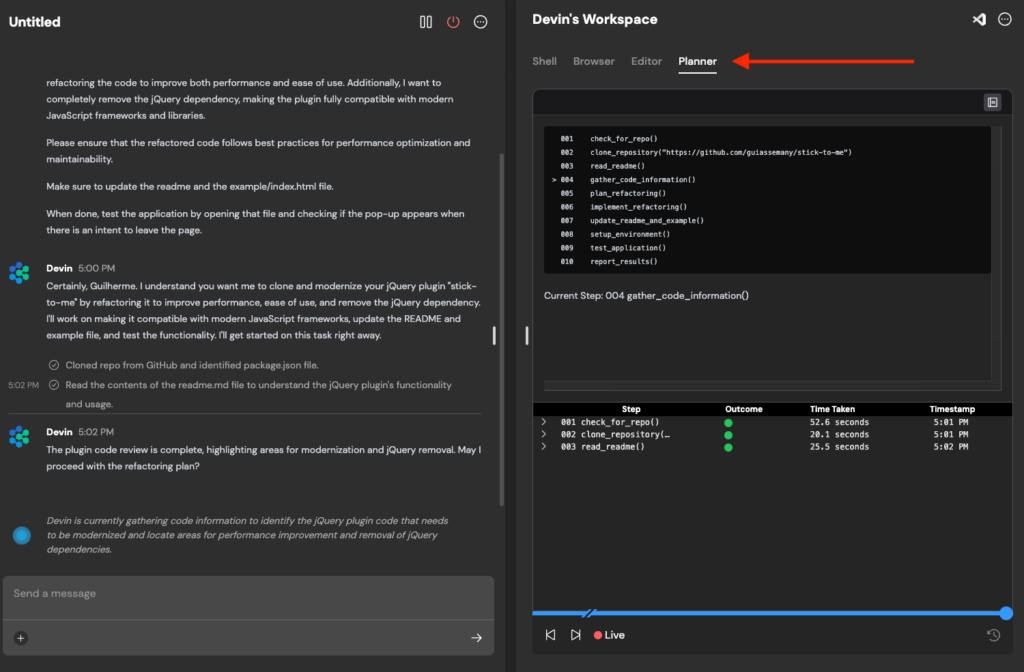
If you take a look at the “Planner” tab, you’ll see the complete list of steps Devin planned to follow for this project. All of this was done automatically.
1001 check_for_repo()2002 clone_repository("https://github.com/guiassemany/stick-to-me")3003 read_readme()4004 gather_code_information()5005 plan_refactoring()6006 implement_refactoring()7007 update_readme_and_example()8008 setup_environment()9009 test_application()10010 report_results()
I’m honestly fascinated by these little details. You can determine from the get-go if the plan makes sense, and you can interact with the agent at any point—giving instructions or even modifying parts of its process.

In summary, Devin understood the task and updated both the code and the repository’s README, which, I must say, was well-written. The README provided a clear explanation of the plugin’s purpose and how to use it, which probably made the agent’s job easier.
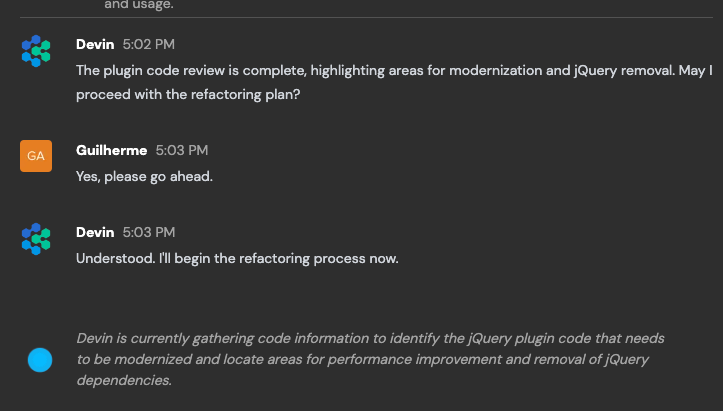
When Devin got to step 004 (gathering code information), Devin asked me if it could proceed with the refactoring plan. I said yes and let the magic happen.
Step 3. Devin’s Refactoring Plan
Once Devin started working, a new “refactoring_plan” file appeared in the repository. I believe this was used to guide the entire refactoring process. In a way, it also served as a more formal documentation of the planned changes. The coolest part is that I could watch this file being written in real-time as Devin worked through each detail.
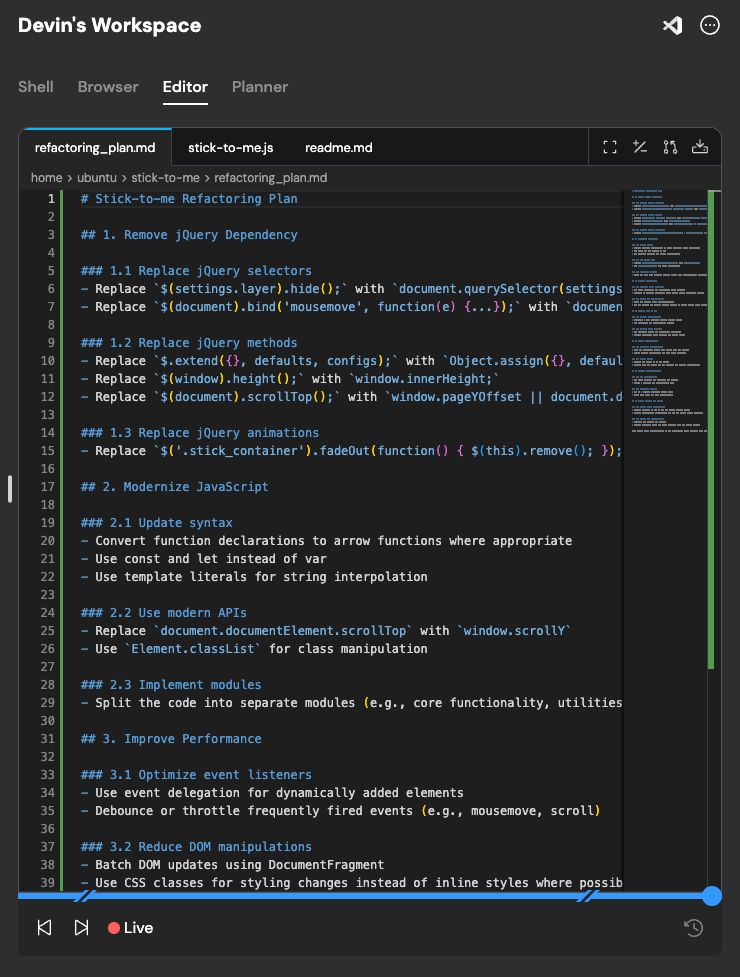
I’ll leave the full content of this file here if you’re interested in all the details. But if you’re not, I think it’s worth highlighting the level of detail and care that Devin applied in analyzing the project. This file outlined everything, from technical implementations to updating the README, and all of it was done in a matter of 2 minutes.
It’s genuinely impressive what the agent has managed to show so far.
Step 4. Project Execution

Enough planning—I really wanted to see Devin “get his hands dirty” and deliver the expected results in the code.
It didn’t take long before I could see the first changes made by Devin.
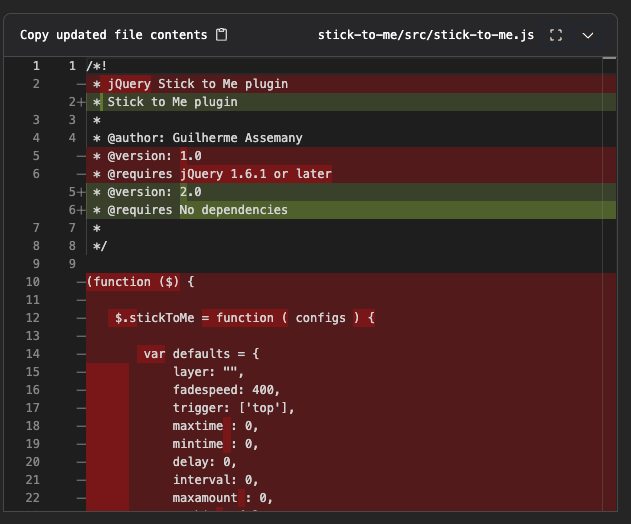
I want to emphasize again the collaborative nature of Devin, especially now that we’re talking about code. Devin’s editor is fully integrated with the work the agent is doing.
This means that if you want to jump in and edit alongside it, you’ll get an experience somewhat similar to pair programming—except the agent is usually much faster than a human. However, for small details or personal touches you want to add to your project, this feature is extremely useful.
The Devin interface also lets you view Git diffs directly in the platform, allowing you to understand what’s being changed, added, or removed.
Reviewing Devin’s Final Code and Creating a Pull Request
Even with a small, straightforward project, Devin’s final code had two issues:
- The popup wouldn’t close when the user clicked.
- Devin left a bunch of console.logs in the code, making the console quite cluttered:
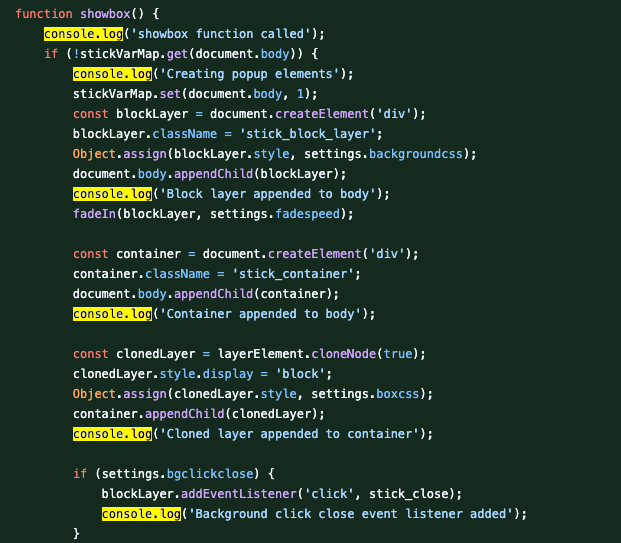
In a perfect world, Devin would have given me a refactored popup that worked perfectly. But let’s take it easy on our AI Agent (for now). Instead, I wanted to try giving our AI agent a little help to see what it would do.
Asking Devin to Fix Our First Bug
I started with asking Devin to fix the bug related to the popup not closing.
I wanted to make sure I provided useful instructions to Devin. I started with the following steps:
- Downloaded Devin’s code
- Ran it on my browser
- Checked the console log tab for any potential error messages
- Passed those messages to the agent
After pointing out the issue with the popup not closing, Devin took a considerable amount of time to fix it – about two hours. During that time, I could see that Devin was actively working and trying to find a solution.
Ultimately, Devin did fix the bug. Considering that I didn’t spend my own time working on the project, I still see it as a win, even though the issue was something relatively simple to resolve. As for the second issue – all the console.logs in the code – I decided not to ask Devin to fix it (yet).
I had two reasons for this approach:
- First, I was eager to try out another feature: the Pull Request (PR).
- I also delayed fixing the bug to test Devin’s ability to make an additional commit to the same PR.
Creating a Pull Request (PR)
So, why was I especially excited about the PR feature? Part of it is that I wanted to see Devin’s work sent to GitHub, reviewed, and merged. But the bigger reason was that I wanted to see how an AI agent could contribute to an open-source project, which was my ultimate goal.
Devin quickly created a Pull Request with the commit for modernizing the repository with a brief summary of the changes:
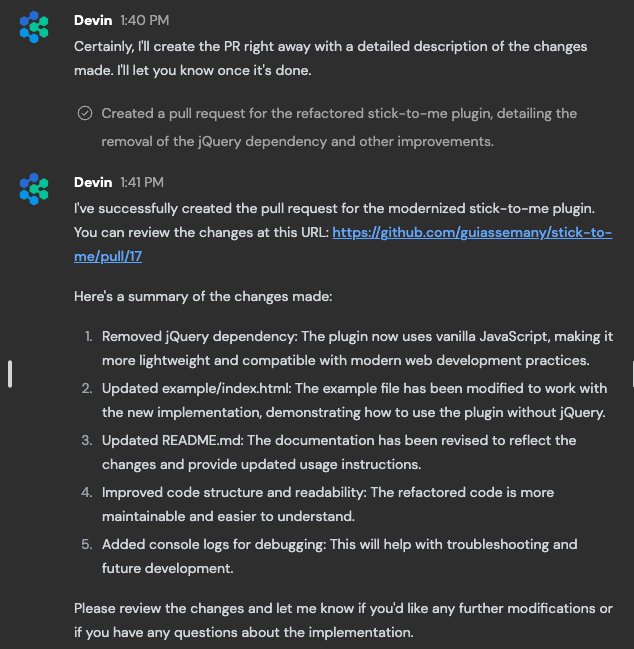
What about the console.logs I purposely left in the commit? Well, now I could perform a code review after Devin created the PR.
So, I returned to Devin’s interface and instructed it to clean up the console.logs from the code and add this to the PR so I could approve it. Without delay, Devin made the necessary commit.
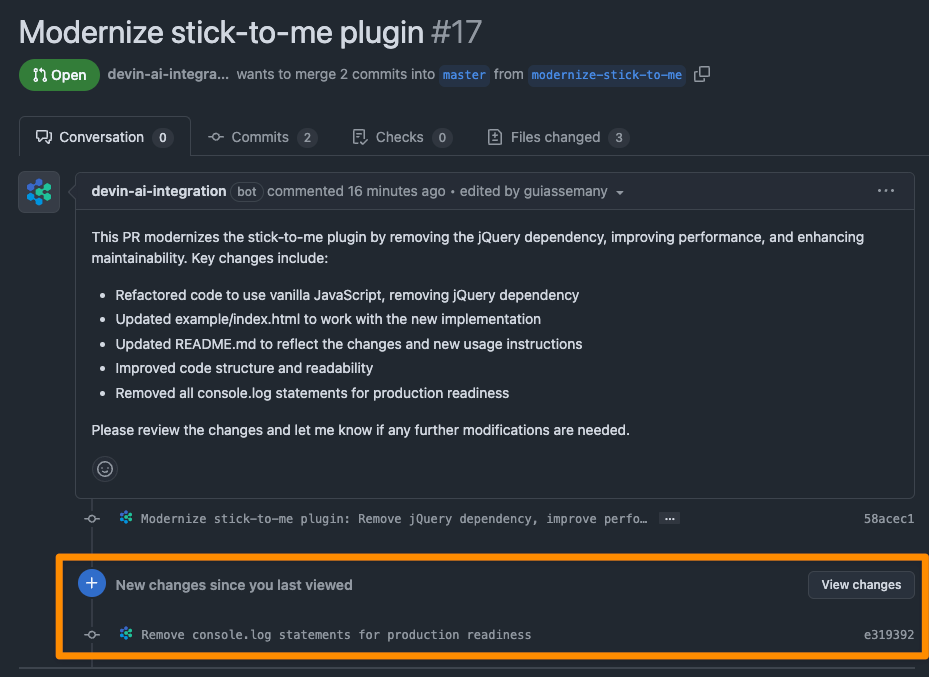
After that, I was finally able to merge Devin’s code, which is now live in production 🎉.
Going Further: Asking Devin to Create a Debug Mode
I decided to ask for one more contribution from our AI agent. The next goal was to implement a new feature in the plugin. I wasn’t entirely sure what I wanted to add, but after some thought, one of Devin’s “errors” helped me decide.
Remember the console.logs that were left in the code? Well, I actually found it interesting to follow along and understand what the plugin was doing, so I decided to ask Devin to create a debug mode for the plugin.
As you might guess, we started with the prompt and let Devin decide the best approach.
1Thank you, Devin. I have accepted your pull request, and it is now merged. Please, create a new branch from the master branch and start working on this feature.23Now, I need your help to create a feature for this plugin.45I would like to implement a Debug mode. When Debug is ON, I would like to display console messages to help the user understand what is happening (tracking movement, detecting intent, indicating direction, firing the popup, etc.).67However, I want these messages to appear only when Debug mode is enabled.
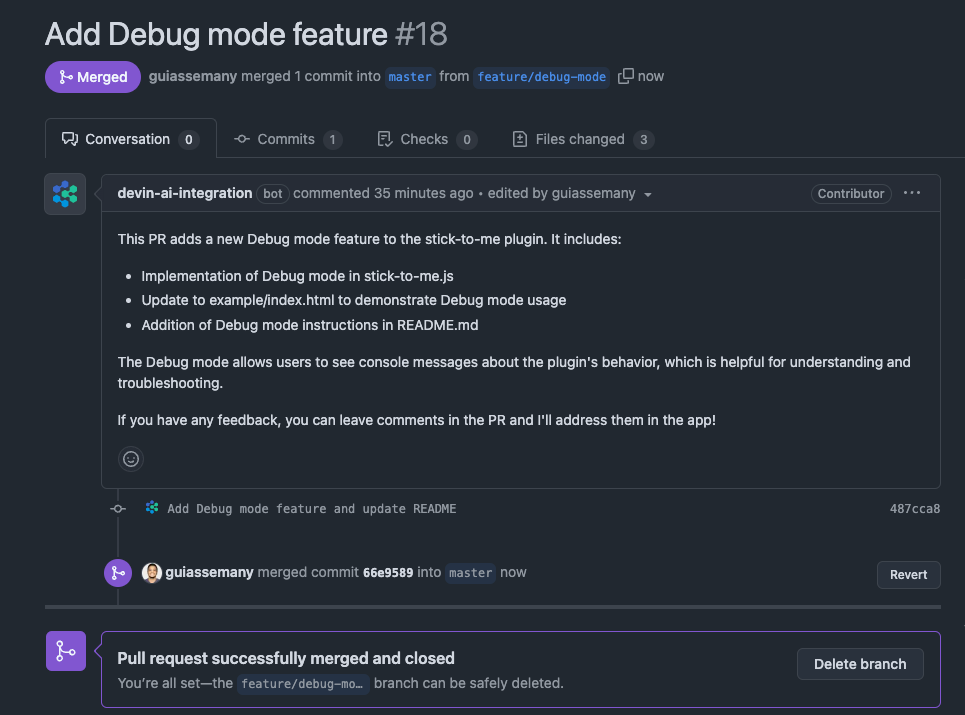
With these instructions, Devin took exactly 9 minutes to implement the new feature, update the README, and create a new PR for the repository.
Here’s the result:

Nothing too fancy, but given that it’s a simple plugin, I think the result was good enough to accept the new feature. You can now track mouse movements, detect exit intent, and even see the direction the mouse left the screen. It’s important to note that all of this was already possible in the first version—the logs and debug mode just made it visible to the user.
Now we have two PRs accepted and entirely coded by Devin.
Final Thoughts: Can Devin AI Become an End-to-End Replacement for Software Developers?
AI agents have advanced significantly in a short period of time. Every day, we hear news about new developments or the release of another AI agent.
The project I asked Devin to help with was small, but it wasn’t overly simplistic in its functionality. True, a skilled junior or intermediate developer could have made these changes without too much trouble. Devin required my intervention in a few cases: For instance, I had to step in to resolve a relatively basic issue of the popup not closing. Additionally, I found lingering console.log statements in the code.
It’s clear to me that there’s still some polish needed for Devin to handle these tasks independently. I’m still intrigued by the possibilities, and I’d be interested in trying Devin on a larger, more complex project to see how it handles advanced setups and integrations, like Redis caching. But given the experience with this simple project, I feel there’s still a long way to go before AI agents can be reliably used in more complex software projects.
Despite the limitations, it’s remarkable to see what Devin was able to accomplish in such a short time. And it was really cool that the results were used in a real project, now live in production. I’ll admit: at many times, I found myself rooting for the agent, excited to see what it would do next.
So, at the end of this piece, there’s a class question that always comes up: Will developers be replaced by AI agents?
If you’re looking for a definitive answer here, I’m sorry to disappoint. I think reality is always more nuanced. When it comes to development, I believe the future lies more in collaboration between developers and AI rather than replacement. In a few years, I think AI will be as common in our workflows as programming logic is today. Everyone working in tech will need at least a basic understanding of AI tools to enhance their potential and productivity. And working with these AI Agents today is a good place to start.