
10 AI Developer Tools To Improve Teams’ Efficiency in 2026

Somewhere between the hype and reality, AI has quietly become part of everyday software development. It’s not science fiction anymore. It’s autocomplete that understands context, code reviews that write themselves, and prototypes that spin up from a one-line description.
For engineering leaders, this isn’t a novelty. It changes how teams deliver with faster releases, fewer repetitive tasks, and a new kind of collaboration between developers and their AI “colleagues.” The question isn’t if these tools belong in your workflow, but which ones will make the biggest impact without breaking your stack or security model.
This guide maps the landscape and highlights where CTOs and tech leads can realize quick, measurable wins.
Think of this as a field guide for leaders who need to separate buzzwords from genuine force multipliers. The goal is a light lift: adopt tools that enhance your current workflows, not ones that force a rebuild of your development process.
Table Of Contents
- The Landscape of AI Tools
- Current Trends
- Why AI Tools Are Now Part of Strategic Planning for CTOs
- AI Tools Every Development Team Should Know
- Smart IDEs
- Cursor
- Kiro.dev
- Code Assistants
- GitHub Copilot
- Tabnine
- Amazon Q Developer
- Code Review Automation
- CodeRabbit
- Text-to-App / Vibe Coding Platforms
- Replit
- Lovable
- V0 (v0.dev)
- Bolt
- Honorable Mentions
- Codacy
- SonarQube
- WindSurf
- Key Takeaways for CTOs
- Final Thoughts
The Landscape of AI Tools
Before the current wave of generative AI, “smart tools” in software development mostly meant linters, static analyzers, and CI scripts. They were rule-based and predictable. Useful, but not adaptive.
Over the past few years, that has changed dramatically. We’ve moved from tools that enforce style guides to tools that can reason about intent. What started as autocomplete has evolved into agent-like coding partners. These systems understand context, refactor code, suggest tests, and even spin up microservices from a simple prompt.
The net effect is a shift from automation to augmentation. AI helps teams think faster and execute with fewer handoffs. In this section, keep the theme in mind: adopt tools that reduce friction without sacrificing control.
Current Trends
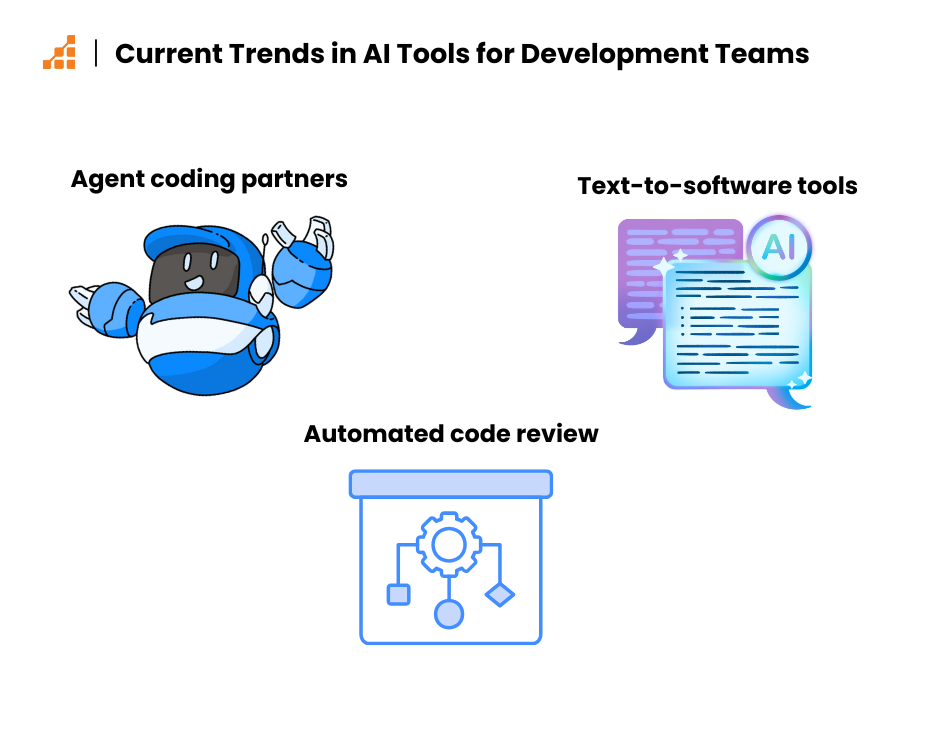
Three major trends are shaping how AI integrates into engineering workflows today. Each trend builds on the others, and together they change how teams plan, code, and review.
1. Agent-like coding partners
These aren’t just autocomplete tools. They’re intelligent, context-aware assistants that live inside the IDE. They can understand multiple files at once, adapt to your team’s coding style, and help with everything from scaffolding features to explaining legacy code.
Adoption is strongest where teams want faster feedback loops. Developers ask questions in natural language and get code or explanations in return. Senior engineers can delegate routine scaffolding while focusing on design and risk.
The takeaway: treat these assistants as copilots. They improve flow and reduce cognitive load, but they still benefit from human guidance and review.
2. Automated code review
Tools like CodeRabbit are changing how teams review code. They don’t just flag formatting issues. They analyze logic, detect potential bugs, and suggest fixes. In high-velocity environments, this means developers get meaningful feedback faster and with more consistency.
Teams use these tools for a strong first pass. Humans still review design, architecture, and risk. The bot handles routine checks, standards, and test prompts.
The takeaway: automated review raises the floor for quality and preserves reviewer energy for the hard parts.
3. Text-to-software workflows
A newer but fast-growing category, these platforms allow developers (or non-developers) to describe an idea in natural language and receive functioning components or entire app scaffolds in return. These platforms are still in their early stages but growing quickly.
The best outcomes today are prototypes, internal tools, or demos that then move into standard development.
The takeaway: use text‑to‑app for speed and clarity with non‑technical partners. Hand off to engineering before production to avoid long‑term maintainability or security debt.
Why AI Tools Are Now Part of Strategic Planning for CTOs
A few years ago, adopting a new developer tool was mostly a tactical decision: “Will this speed up code reviews?” or “Will this make deployment less painful?” AI has pushed that conversation higher up the chain. It’s no longer just a question of convenience. It’s about organizational capability.
Teams that learn how to use these tools effectively can move faster, reduce cognitive overhead, and dedicate more energy to solving hard problems rather than re-solving easy ones. Ignoring them isn’t neutral. It’s a competitive disadvantage.
For CTOs, AI tooling now ties directly to strategy for four main reasons:
Increased Speed
AI-powered coding assistants and smart IDEs help developers move faster and reduce mental overhead. Routine tasks like generating boilerplate, writing tests, or formatting code are handled in seconds. Pull requests get pre-reviewed before they’re even submitted.
The compounded effect is higher velocity without adding headcount. Features ship faster and blockers clear sooner. Workflows feel smoother because less time is spent on toil.
Higher Quality Output
Context-aware agents raise the floor for code quality. They reinforce standards, suggest proven patterns, and surface bugs early, especially in code review or refactoring workflows. Junior developers write better code with less supervision, and experienced devs catch edge cases sooner. AI tools don’t replace human judgment, but they help teams produce cleaner, more consistent, and more reliable code at scale.
But it’s important to make the distinction: using AI within your workflow improves quality. Outsourcing your workflow to AI often does not. Letting an AI tool “vibe code” an entire app from vague input can create brittle systems and opaque logic that are hard to maintain, at least for now. Side note: We’re currently working on an article on the topic of “spec-driven development”.
At this stage, AI is best used as a copilot, not a replacement. It’s a force multiplier for thoughtful teams, not a shortcut for skipping foundational engineering work.
Cost-Effectiveness
Faster iteration means fewer wasted cycles. AI tools cut rework, shorten debugging, and free senior engineers from routine code mentoring or corrections. They also accelerate onboarding, so new hires contribute sooner.
Over time, these savings compound making engineering teams more efficient without linearly increasing budget. You also improve developer experience, which helps with retention.
Competitive Advantage
Early adopters see gains not just in output, but in attracting talent and staying adaptive. Developers want to work with modern teams. Organizations that integrate AI into their workflows now will build momentum and flexibility that is hard to catch later.
In fast-moving markets, the ability to move quickly and correctly is a competitive edge. AI sits at the center of that equation for 2026.
In short, AI tools have graduated from “nice to have” to core infrastructure decisions. The companies that treat them as strategic assets rather than experimental gadgets are shaping engineering cultures that can adapt quickly to new demands
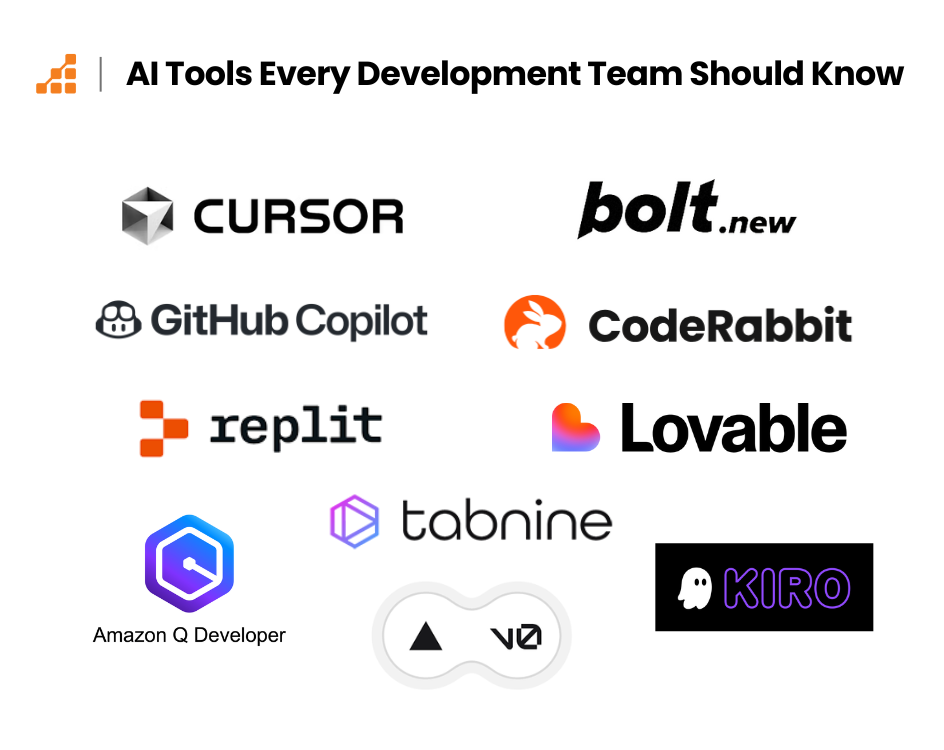
AI Tools Every Development Team Should Know
Use this catalog as a starting point. Pricing is indicative and can change. Focus on fit, security, and integration with your stack.
| Tool | Pricing (Aug 2025) | Best suited for | Key integrations / support |
| Cursor | Free; Pro $20/mo (includes ~$20 usage on “Auto”); Bugbot add-on $40/mo flat for up to 200 PRs/mo; Enterprise custom. | Teams embracing an AI-native IDE with built-in chat, refactors, and PR review automation. | GitHub PR reviews via Bugbot; ships as its own editor; supports many VS Code-style workflows. |
| Kiro.dev | Free (50 “vibe” requests/mo); Pro $20/mo (225 vibe / 125 spec); Pro+ $40/mo; Power $200/mo; overages $0.04/vibe & $0.20/spec; 14-day welcome bonus. | Startups & teams prototyping fast with a cloud, spec-driven, agentic IDE. | Desktop apps; VS Code/Open VSX plugin compatibility; MCP support. |
| GitHub Copilot | Free tier; Pro $10/mo or $100/yr; Pro+ $39/mo or $390/yr; Business $19/user/mo; Enterprise $39/user/mo. | Teams already on GitHub wanting completions, chat, and PR assistance without new tooling. | IDEs: VS Code, Visual Studio, JetBrains, Neovim, Eclipse, Azure Data Studio; native on GitHub. |
| Tabnine | Dev $9/mo; Enterprise $39/user/mo (annual); free 14-day preview available. | Privacy-first orgs (self-host/VPC/air-gapped) needing on-prem or controlled AI assistants. | Broad IDE support (VS Code, JetBrains, Visual Studio, Eclipse, Neovim, etc.). |
| Amazon Q Developer | Free tier; Pro $19/user/mo; Java/.NET transformation beyond pooled 4k LOC billed $0.003/LOC. | AWS-heavy teams (Dev+DevOps) that want IDE, CLI, and Console help across SDLC. | IDE plugins for VS Code, JetBrains, Eclipse, Visual Studio; IAM Identity Center support. |
| CodeRabbit | Free (PR summaries); Lite $12/mo (annual) or $15 monthly; Pro $24/mo (annual) or $30 monthly; Enterprise custom. Billed per dev creating PRs. | High-velocity teams automating PR reviews with inline fixes and analytics. | GitHub, GitLab, Azure DevOps, Bitbucket; Slack/Teams/Discord notifications. |
| Replit | Starter Free; Core $20/mo (annual) with $25 monthly credits; Teams $35/user/mo (annual) with $40 credits; Enterprise custom. | Rapid browser-first prototyping to live apps with AI Agent and one-click deploys. | GitHub import/sync; hosting/deployments; multiplayer. |
| Lovable | Pro $25/mo (100 credits + daily credits); Business $50/mo; Enterprise custom; student discounts up to 50%. | PMs/founders turning prompts into MVPs, exporting to code for handoff. | GitHub export; collaborative builder; templates. |
| V0 (v0.dev) | Free ($5 credits/mo); Premium $20/mo ($20 credits/mo); Team $30/user/mo ($30 credits/user/mo); Enterprise available. | Frontend/UI teams generating React + Tailwind components and exporting clean code. | Sync with GitHub, deploy to Vercel, Import from Figma, v0 API. |
| Bolt (bolt.new) | Tokens-based: plans start $20/mo for ~10M tokens; higher tiers (e.g., 26M, 50–60M, 120M tokens) scale up; paid tokens roll over 1 month. | Conversational app building and instant previews; fast idea-to-webapp flows. | GitHub export, Netlify/Supabase/Stripe workflows; runs on StackBlitz WebContainers. |
Smart IDEs
Cursor
Cursor is an AI-native IDE built from the ground up for conversational coding. It’s not just a code editor with AI bolted on. It’s designed to make interaction with AI feel like a natural part of the development process.
Features:
• In-editor AI chat that understands project context
• Context-aware refactoring and code transformation
• Automated test generation
• Multi-file understanding and conversational prompts for debugging or code walkthroughs
Integrations:
• GitHub
• Cursor is a VS Code fork that rebases frequently, and extension support is good but not universal as there have been Marketplace licensing and compatibility limits with some Microsoft extensions
• Bugbot: an AI PR reviewer integrated with GitHub
Best suited for:
Teams ready to experiment with a fully AI-augmented coding environment, particularly those looking to streamline feedback loops, reduce manual overhead, and explore deeper integration between thought and implementation.
Kiro.dev
Kiro is a newer entrant in the smart IDE space, offering a complete, cloud-based AI coding environment. It’s designed to support the entire development cycle, from early-stage planning and feature design to real-time code generation and collaboration.
It’s an agentic IDE with spec-driven development and hooks concept, which are automations triggered on save/create that run agents to take whatever actions you need.
Features:
• Real-time AI coding suggestions
• Built-in tools for project planning and task decomposition
• Team collaboration features
• Lightweight interface optimized for rapid prototyping
Integrations:
• GitHub syncing
• Cloud-based environment (no setup required)
Best suited for:
Early-stage startups, or prototyping teams looking for an all-in-one AI development environment. While still early in its lifecycle, Kiro shows strong potential especially for teams that value speed, iteration, and minimal setup.
Code Assistants
GitHub Copilot
GitHub Copilot is one of the most widely adopted AI pair programmers, designed to assist developers with code completion, context-aware suggestions, and even pull request support. It has become a staple for many dev teams, especially those already working within the GitHub ecosystem.
Features:
• Real-time code suggestions based on project context
• Inline documentation and code explanation capabilities
• Pull request summarization and inline PR feedback (Copilot for Business)
• Copilot Chat: conversational interface for coding help, fixes, and reasoning
Integrations:
• Native support in VSCode, JetBrains, Neovim and Visual Studio.
• Deep integration with GitHub repositories
Best suited for:
Teams looking to enhance productivity without radically changing workflows. Especially valuable for mixed-experience teams, where Copilot can help junior developers move faster while freeing up senior engineers from repetitive coding tasks.
Tabnine
Tabnine positions itself as a privacy-focused AI code assistant, built for enterprises that need more control over their code, data, and compliance requirements. It offers team-trained models and supports on-premises deployment, making it ideal for companies that can’t(or won’t) use public AI APIs.
Features:
• Context-aware code completion across multiple languages
• Team-trained models to reflect internal codebases and style
• Local hosting or private cloud options for security-conscious teams
• Lightweight, fast integration with low friction
• It can be self-hosted
• For teams prioritizing privacy, Tabnine implements a no-train-no-retain policy, making it an ideal choice for teams seeking to enhance their privacy measures.
Integrations:
• IDE-agnostic: supports VSCode, JetBrains, Eclipse, and more
• CI/CD tools for model feedback loops and analytics
Best suited for:
Engineering teams that want the productivity benefits of AI without sacrificing control, privacy, or compliance. Especially valuable in industries with strict data governance or IP sensitivity.
Amazon Q Developer
Amazon Q Developer is AWS’s AI assistant designed specifically for cloud-native development. It focuses on helping teams build, troubleshoot, and deploy infrastructure and application code within the AWS ecosystem.
Features:
• AI-powered code generation for AWS SDKs, CloudFormation, and CDK
• Infrastructure as code (IaC) support and guidance
• Troubleshooting assistance for cloud resources and permissions
• Documentation generation and inline explanations for AWS services
Integrations:
• Native support in AWS Console integration + VS Code / JetBrains / Visual Studio
• Deep hooks into AWS Console, CLI, and service APIs
Best suited for:
Teams heavily invested in AWS, especially those managing complex cloud infrastructure. It’s a strong fit for DevOps-focused orgs looking to automate provisioning, diagnose cloud issues, or reduce the AWS learning curve for new engineers.
Code Review Automation
CodeRabbit
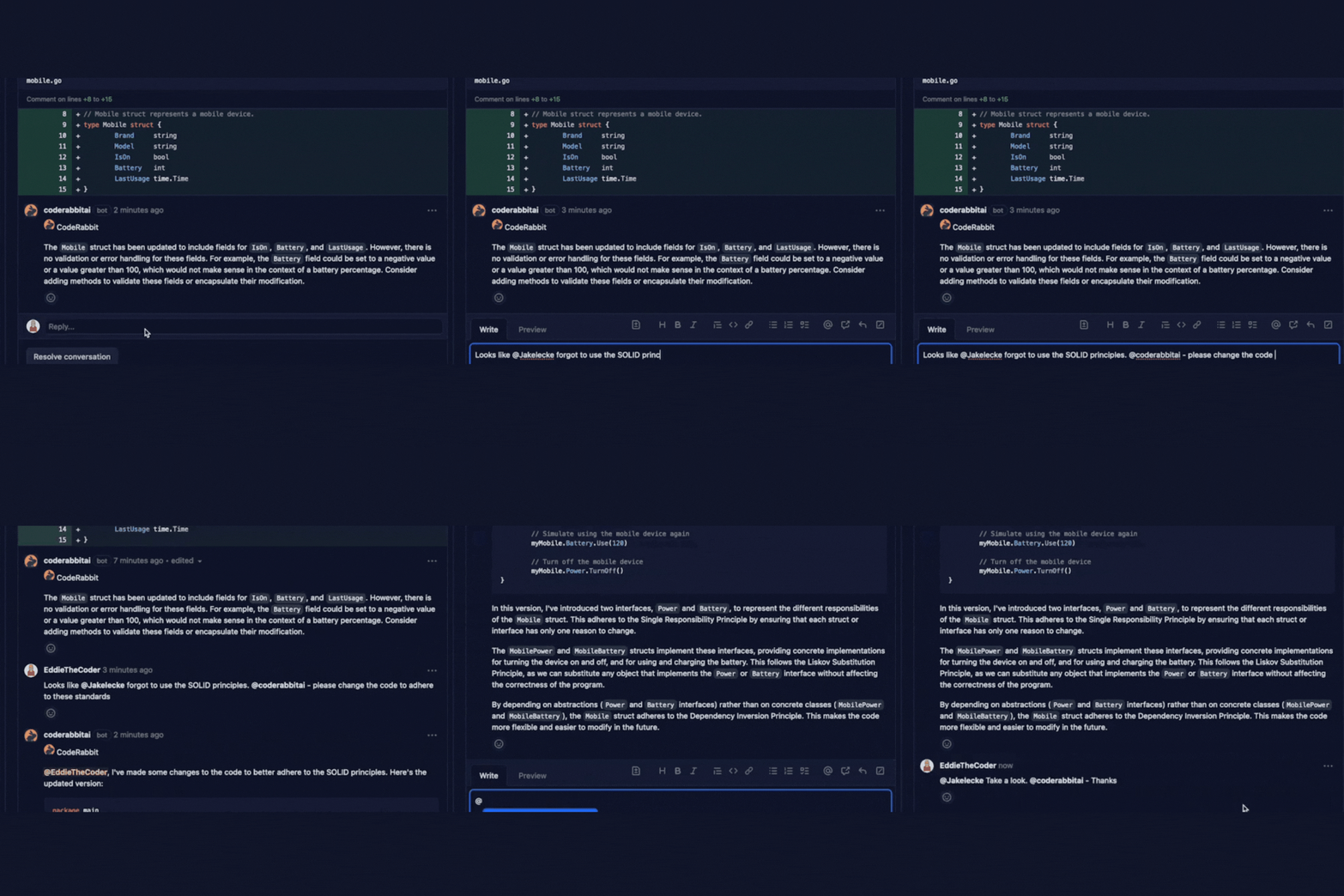
CodeRabbit is an AI-powered code review bot that analyzes pull/merge requests and leaves contextual, line-by-line feedback directly in your PR/MR. It generates concise summaries, suggests committable fixes, and adapts to your repo via configurable instructions and auto-learning from reviewer feedback.
Features:
• Inline, codebase-aware reviews with one-click fix suggestions and PR summaries.
• Configurable policies & prompts that learn from your team’s feedback to refine future reviews.
• IDE support via a VS Code extension to run AI reviews before opening a PR.
• Learns from your codebase to adapt its tone and review style
Integrations:
• Git platforms: GitHub.com, GitHub Enterprise Server, GitLab (cloud & self-managed), Azure DevOps, and Bitbucket (Cloud & Data Center).
• Chat/alerts: Email, Slack, Discord, and Microsoft Teams.
• Issue trackers & workflow: Jira and Linear integrations on Pro plans.
Impact:
Automates first-pass reviews so human reviewers focus on higher-order design and risk, helping teams maintain review speed and consistency even as PR volume grows. Many teams also use the IDE extension to catch issues before a PR, further reducing review back-and-forth.
Text-to-App / Vibe Coding Platforms
Replit
Replit is a cloud-based development platform that combines live collaboration, instant deployment, and AI-assisted coding in a browser-first environment. It’s particularly popular for rapid prototyping, small apps, and educational projects.
Features:
• Ghostwriter: Replit’s built-in AI coding assistant for code completion and debugging
• Live multiplayer coding with team members
• One-click deployment and hosting
• Project templates and instant environments for dozens of languages
Integrations:
• GitHub syncing
• APIs and extensions via Replit’s own ecosystem
Best suited for:
Small teams, solo developers, and educational environments looking for a fast, collaborative way to go from idea to live app—all in the browser, no setup required.
Lovable
Lovable is an AI-powered platform that turns natural language prompts into functional MVPs. It focuses on product builders and non-technical users who want to prototype apps quickly—without starting from a blank file or writing extensive boilerplate.
Features:
• Converts written ideas or feature specs into working UI and logic
• Built-in templates for common SaaS, marketplace, and dashboard layouts
• Real-time editing and component-level customization
• AI-suggested improvements based on user intent and UX patterns
Integrations:
• GitHub export for generated projects
• Collaboration tools and Figma-style UI builder with component level edits
Best suited for:
Product teams, founders, and early-stage builders who want to go from pitch to prototype fast. Lovable excels in helping non-engineers validate concepts or iterate before pulling developers into the loop.
V0 (v0.dev)
V0 is a frontend-focused AI tool that transforms natural language prompts into clean, production-grade React components. It’s built for speed, precision, and UI-first development, making it a useful bridge between design and engineering.
Features:
• Converts text descriptions into fully coded UI components
• Clean, editable React output following modern best practices
• Rapid prototyping of layouts and design systems
• Ability to tweak, regenerate, or combine components interactively
Integrations:
• GitHub export for generated components
• Works seamlessly with design-to-code pipelines
Best suited for:
Frontend developers, designers, or product teams that want to accelerate the jump from wireframe to real UI code. Especially useful for building component libraries, landing pages, or internal dashboards fast, without sacrificing quality.
Bolt
Bolt is a conversational AI app builder that helps users generate functioning web apps through natural dialogue. It leans into a chat-first UX, guiding users through the build process in a way that feels like collaborating with a technical cofounder.
Features:
• Chat-based app generation using prompt-driven flows
• Smart defaults and structure for common web app patterns
• Rapid iteration and real-time preview
• Minimal interface for maximum speed
Integrations:
• GitHub export
• Early-stage plugins and deployment pathways in progress
Best suited for:
Teams or individuals who want to explore an idea quickly without diving into code. Bolt works well for prototyping new product concepts, building pitch demos, or crafting internal tools with minimal overhead.
Honorable Mentions
Codacy
Codacy is a code quality and security platform that runs static analysis on every change, decorates PRs/MRs with issues, tracks coverage, and (newer) provides AI-suggested fixes you can apply in your normal Git workflow. It’s designed to standardize rules across teams and enforce quality gates before merge.
Features:
• Static analysis across 40+ languages and IaC frameworks, with duplication/complexity metrics and coverage tracking.
• AI fix suggestions surfaced alongside issues to accelerate remediation.
• Quality gates and status checks to block merges that don’t meet your policies.
• First-class coverage reporting via the Codacy Coverage Reporter and dashboards.
Integrations:
• Git providers: GitHub, GitLab, Bitbucket (PR/MR decoration and statuses).
• CI/CD: works with GitHub Actions, GitLab CI, Jenkins, CircleCI, Codefresh, etc., to upload analysis and coverage.
Best suited for:
Teams that want policy-driven, enterprise-friendly code quality and security with measurable gates and who value AI-assisted fixes without changing their existing Git/CI flows.
SonarQube
SonarQube provides deep static analysis for code quality and security with the “Clean as You Code” approach, PR decoration, and now AI CodeFix, GA in 2026, for AI-generated remediation suggestions right where issues are found.
Features:
• Clean-as-You-Code methodology, quality gates, and PR analysis to keep new code meeting standards.
• AI CodeFix (GA): proposes fixes for detected issues in SonarQube Server and Cloud.
• Expanded Advanced Security (SAST, SCA, secrets) with 2026 releases.
Integrations:
• PR/MR decoration for GitHub, GitLab, Bitbucket, Azure DevOps.
• IDE support via SonarQube for IDE (formerly SonarLint) for VS Code, JetBrains, Visual Studio—catch issues locally and even apply AI CodeFix in IDE.
Best suited for:
Organizations standardizing on a single source of truth for quality & security across repos and IDEs, and that want AI-assisted fixes tied directly to their policies and quality gates.
WindSurf
Windsurf is an agentic AI IDE (macOS/Windows/Linux) focused on multi-step code edits and repo-wide reasoning. Its hallmark feature, Cascade, orchestrates sequential changes across files, with curated-docs awareness to reduce hallucinations. It also supports MCP (Model Context Protocol) to wire in external tools and services.
Features:
• Cascade is Windsurf’s built-in AI agent that can plan and carry out multi-step changes across your whole repo, not just a single file, while fixing lints along the way.
• MCP support and a plugin store to connect databases, design tools, payments, and more into AI workflows.
• Built to keep developers “in flow” with agent workflows integrated into the editor, not a chat bolt-on.
Integrations:
• Works with common Git workflows; MCP servers provide quick hookups (e.g., Slack, Stripe, Postgres).
• Plays well with ecosystem tooling; for example, Sonar’s IDE extension lists support for modern/AI IDEs (including Windsurf).
Best suited for:
Teams exploring AI-first development where the editor can plan and apply coordinated changes across a codebase, useful for refactors, scaffolding features, and enforcing patterns at scale.
Key Takeaways for CTOs
1) What categories deliver the fastest ROI?
Start with code assistants and code-review automation. Multiple studies show assistants like Copilot can speed up coding and PR cycles (often cited ~55% faster on tasks), with perceived quality and confidence gains, so you feel the impact within weeks.
2) How should we measure AI impact?
Use DORA metrics:Deployment Frequency, Lead Time for Changes, Change Failure Rate, MTTR. Add “time-to-merge” and PR rework loops for a before-and-after baseline. These are the most recognized, comparable engineering outcomes. See the DORA guide and the Four Keys approach.
3) Will AI replace developers—or act as a force multiplier?
Force multiplier. Research suggests that productivity increases and developers become happier, rather than roles being eliminated.. Teams still need human design, review, system thinking, and domain judgment. See the GitHub productivity research and McKinsey’s analysis.
4) Is AI-generated code safe to ship?
Treat it like junior developers’ output that still requires review. Controlled studies show users with AI assistance can produce more insecure code without the right guardrails. Keep human review, policies, and security checks in the loop.
5) What guardrails should a company put in place for AI-generated code?
Adopt a simple AI usage policy and align with OWASP’s LLM Top 10 (prompt-injection, insecure output handling, excessive agency, etc.). Setup secure-by-default practices into review, CI, and permissions.
6) Can we keep our code private while using AI tools?
Yes, choose enterprise modes carefully. For example, Copilot Business/Enterprise offers zero data retention with host providers and “no model training on your business data by default”; Tabnine offers no-train/no-retain with self-hosted/VPC/on-prem options. Review each vendor’s privacy documentation and negotiate contractual controls.
7) Where do “text-to-app” tools fit?
Use them for prototyping and stakeholder demos; hand off to standard engineering practices before production. This preserves velocity while avoiding long-term maintainability or security debt.
8) What’s a realistic short-term payoff beyond raw speed?
Faster onboarding, more consistent standards enforcement, and less cognitive load on repetitive work, freeing senior devs for design/review and hard problems. See GitHub’s enterprise study with Accenture.
9) What is the bottom line of AI usage on dev teams for CTOs in 2026?
Treat AI dev tooling as strategic infrastructure: pick one code assistant + one code-review tool, set policies, measure with DORA or another way you prefer, and scale from a proven pilot. Macro studies estimate sizable productivity potential when paired with good change management.
Final Thoughts
AI tools aren’t just accelerating development—they’re reshaping what development looks like. From smart IDEs and context-aware coding assistants to automated reviewers and conversational app builders, the landscape is expanding fast. And while the technology isn’t perfect, it’s already proving invaluable to teams who know how to use it as a multiplier, not a crutch.
For engineering leaders, the challenge is no longer whether to adopt AI—it’s deciding how and where it fits. Which tools complement your stack? Where can they relieve pressure on your team? How do you onboard them responsibly without sacrificing security, control, or quality?
Looking ahead, we’re likely to see AI dev agents that can reason across entire systems, integrate deeply with CI/CD pipelines, and offer real-time design-to-code feedback loops. But for now, even just adopting a handful of the tools covered here can give your team a measurable edge—in velocity, in quality, and in how fast you adapt to what’s next.